MEET LOOP-APIDOC

Turn messy technical docs into a manual anyone can read and trust

Vendor integration docs come in a mess of formats, and they're often incomplete. loop-apidoc works like a first-stage refinery: it distills tangled material into a clean, source-traceable standard spec — and never makes anything up.

Architecture updateThe stable product is now an evidence-to-contract core. Models and agent workflows are replaceable Runtime Adapters; deterministic Core and Domain code own grounding, assurance, and governed releases. The workflow below remains the current CLI adapter.

Raw material: PDF · web pages · code files · URLs First-stage refining: extract · cross-check · no guessing Crystallized: unified · traceable · validated
First, one quick definition: what is an API?
Put simply, an API is the "interface" through which two pieces of software talk to each other; and API documentation is the manual that teaches you how to "connect" to the other system. When you integrate with a payment, logistics, or SMS service, for example, the provider hands you exactly this kind of document.
GETTING STARTED

Head to the GitHub home page, or just install the plugin

If you want to browse the source, track releases, or file an issue, start at the GitHub repo. If you'd rather run the extraction pipeline right away, wire up the plugin / CLI using the install steps below and you're ready to go.

Project GitHub home Source, commits, issues, and workflows all live here, and GitHub Pages is published from this repo too. Go to the GitHub repo →

Install as a Claude Code plugin

Add this project as a plugin inside Claude Code, and the agent can read sources, assemble, and validate directly. The CLI is bundled with the plugin — no separate install needed.

/plugin marketplace add CarlLee1983/loop-apidoc /plugin install loop-apidoc@loop-apidoc-marketplace

Update to the latest version: /plugin marketplace update → /plugin update

Install for the Codex CLI

Codex doesn't set ${CLAUDE_PLUGIN_ROOT}, so install the CLI as a global command and then link the skill into Codex's skills directory.

uv tool install --from /path/to/loop-apidoc loop-apidoc ln -s /path/to/loop-apidoc/skills/loop-apidoc ~/.codex/skills/loop-apidoc
WHY YOU NEED IT

How hard is life without it?

When a team has to integrate with many external services at once, just "understanding the docs" is a battle in itself — and it hides risks you can't see.

Ten vendors, ten formats

One hands you a PDF, another drops a web page on you, another a pile of code files. Just "reading" them eats up huge amounts of time and patience.

The docs are often missing pieces

A key field is left out, or what happens on failure is never spelled out. The most dangerous part: to hit a deadline, someone just "fills in the blanks by guessing."

A wrong guess means an incident

One small wrong guess can turn into a real production incident after launch — failed payments, lost orders — and only then do you find out "the docs never actually said that."

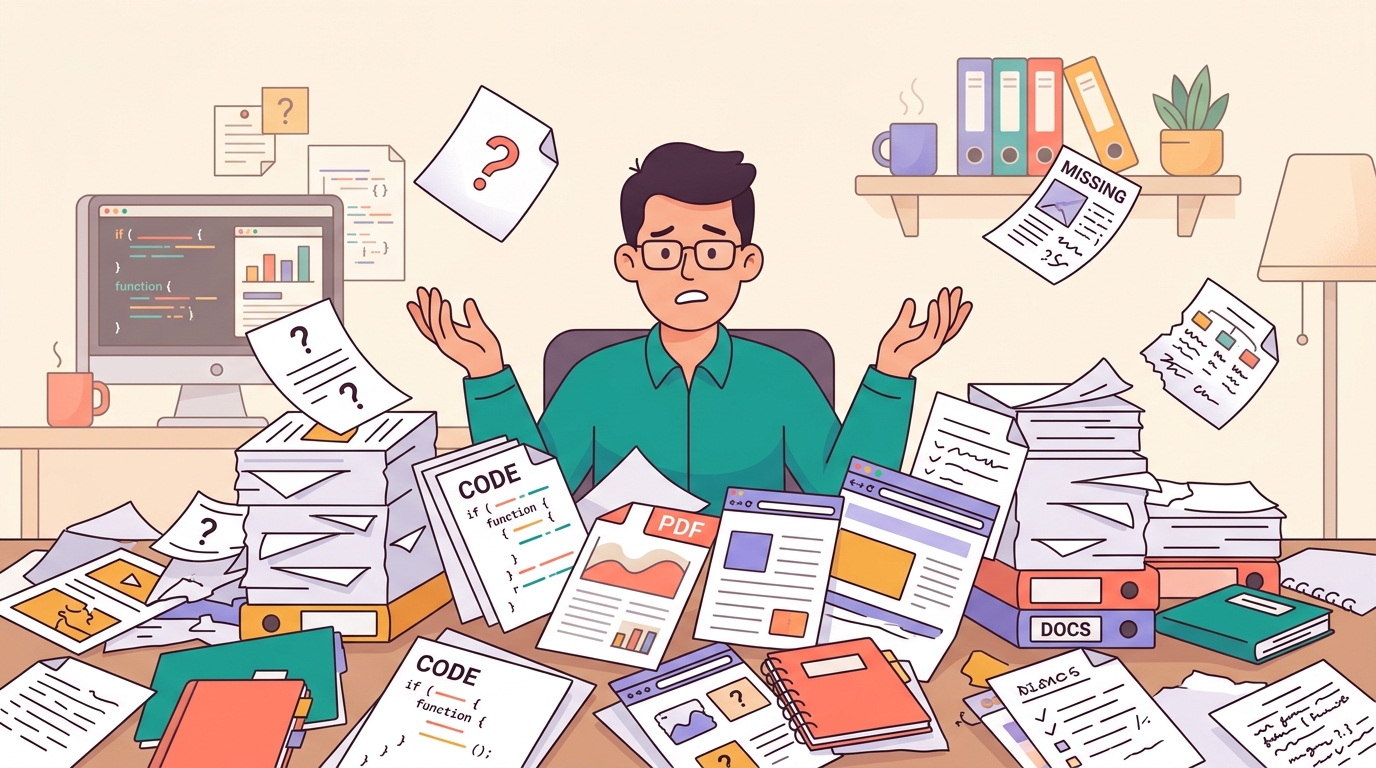
An engineer buried under messy, incomplete integration docs
THE AI-COLLABORATION ERA

Why does vibe coding need it even more?

Once you hand the implementation to a coding agent, it doesn't matter how fast the code is written — feed it the wrong spec and everything is wrong. The quality of the agent's output depends on the quality of the spec you give it.

Raw docs are a breeding ground for hallucination

Hand a PDF straight to an agent and, when something's missing, it fills the gap with "common conventions" — silently assuming OAuth or a standard error format. When you're integrating payments, that plausible-looking guess is the most expensive kind of bug.

Agents need machine-readable facts

The refined OpenAPI and integration contract are specs an agent can consume directly — cheaper and steadier than re-reading dozens of PDF pages every session, and every agent and every project reads the same single source of truth.

People sign off — they don't walk away

Vibe coding shifts the human role from "writing code line by line" to "signing off on specs and outputs." Only when every statement is traceable to its source and an offline review page ships alongside it can you dare to put your name on the agent's output.

Just ask AI to tidy it up

Fast, but you can only "trust" it

  • Zero setup — one sentence gets a result
  • Whether the result is right is entirely the model's call
  • Gaps get quietly filled with "common conventions"
  • You get a different answer each time, with no source to check
  • Good for: quickly getting the gist, one-off low-risk exploration
Run through loop-apidoc

Use the model, but don't trust the model

  • The model only reads; deterministic code decides what's correct
  • Made-up content is stopped at the validation gate; gaps are named outright
  • Silent omissions are stopped too: if the source has a parameter table and the extraction came back empty, it is sent back to re-read
  • Every statement is traceable to its source and can be reviewed offline by a human
  • The same input always produces the same result, so revisions are diffable
  • Good for: integrations headed to production, payments, and other high-risk scenarios

To be upfront about the cost: it runs the full extract → validate → correct pipeline, so it carries more upfront cost than just "asking." The rule of thumb is simple — if the result will be written into production code, it's worth passing the gate; if you just need to understand something, just ask.

In one line: vibe coding made "writing code" fast, so "getting the spec right" became the new bottleneck — and that bottleneck is exactly what this tool fixes.

The single most important thing

It only writes down what the docs actually say —
it never makes things up.

Whatever the docs don't state, it leaves blank and honestly marks as "missing." It will never fill the gap with conventions or guesses. It would rather tell you plainly "this is missing" than hand you a doc that looks complete but is actually fabricated.

You can trust every statement it makes
HOW IT WORKS

How does it pull that off?

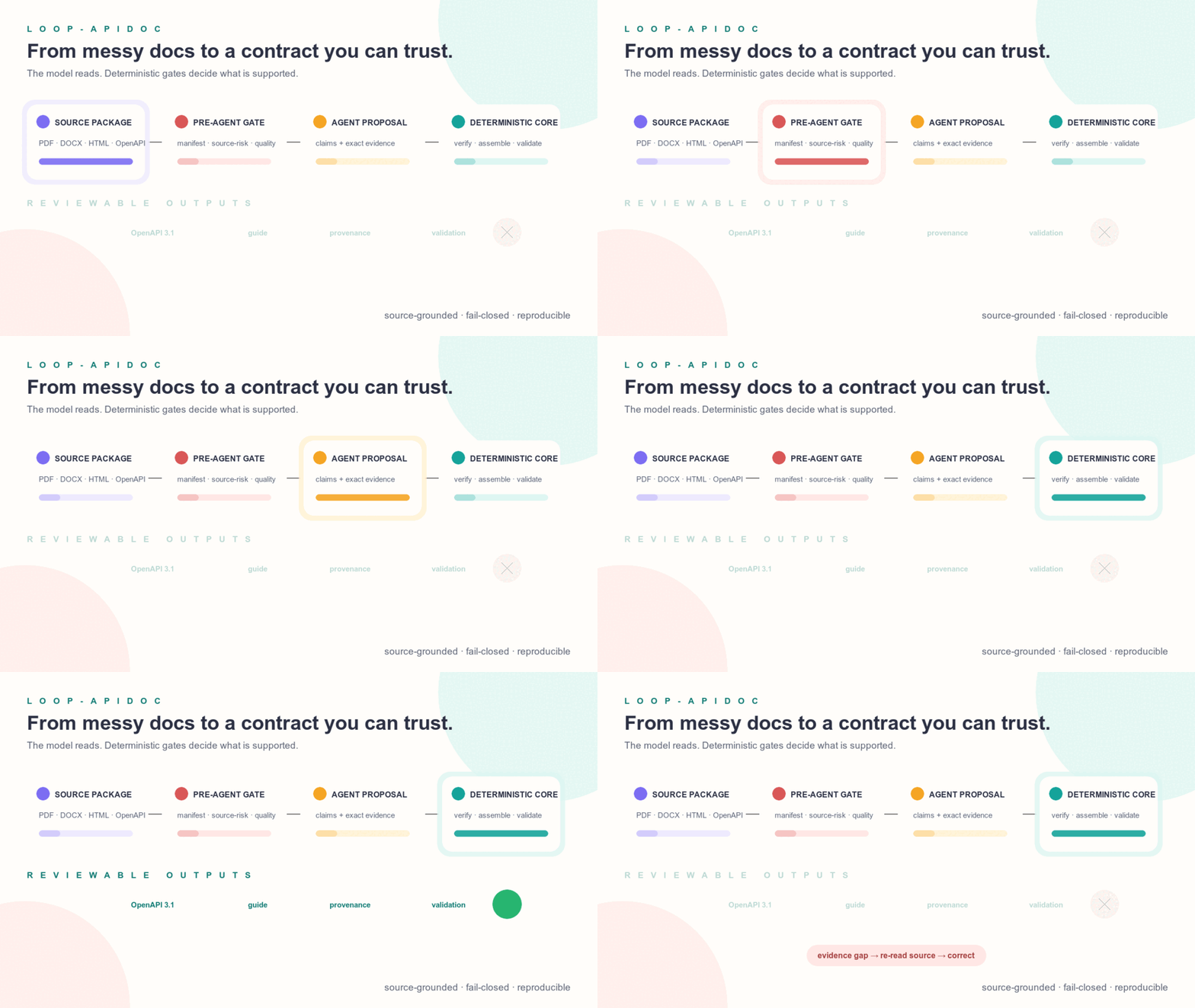
Five clear stages turn messy source material into a traceable, verified result that is ready to hand off.

Animated loop from mixed source documents through the pre-agent gate, agent claim proposal, deterministic verification, and reviewable outputs
1
SOURCE INTAKE

Collect and inspect the sources

Give it PDF, DOCX, web, OpenAPI, or public-URL sources. Every source is converted into safely scannable text, then checked for risk and completeness before any agent is allowed to read it.

Source-safety and licensing details
  • Document conversion: preprocess converts PDF/DOCX into scannable text. DOCX first passes a bounded, fail-closed OOXML gate and receives source-hash provenance. The DOCX and GitBook paths are not validated against a real source — none of the thirteen benchmark cases has a Word or GitBook source, so their evidence strength equals the benchmark's skipped: available but unproven.
  • Source risk: inspect-source-risk checks the exact manifest-bound bytes before any agent reads them. It neither rewrites source bytes nor echoes a matched payload.
  • Protected pages: When direct HTTP is blocked but a browser can render the page, import-rendered-url preserves the bytes and capture provenance. Origin fetch is skipped only when URL, path, method, and SHA-256 all match.
  • Egress gate: Every outbound fetch passes the same gate first — HTTP(S) only, no URL userinfo, and every address the host resolves to must be publicly routable. A redirect into a private or cloud-metadata address is refused too, and proxy environment variables are ignored.
  • Credential redaction: When a source URL carries a signing credential, it is used for the fetch but recorded as ?X-Amz-Signature=[REDACTED] in corpus.json, coverage.json, provenance sidecars, and the generated documents. The rest of the URL is preserved byte for byte, and the redacted identity still matches.
  • GitBook and scaffolds: When llms.txt is available, the pipeline caches in-scope Markdown and creates a line-cited extraction scaffold for human review. It must be copied, verified, and completed before use as the real extraction.
  • Third-party license: The DOCX ZIP/XML fallback is adapted from MIT-licensed book-to-skill at revision efda3b2212ce1b2c052126e85e14de40a32442e8. This project adds stricter gates and does not claim EPUB/RTF/MOBI support; see the third-party notice.
2
GROUND FACTS

Read it closely, section by section

It extracts facts within each source scope like a diligent reader taking notes—recording only what the documents state, never filling gaps with conventions.

3
NORMALIZE

Assemble it into a standard format

Information scattered across pages and formats becomes one contract that people can review and tools can consume directly.

4
QUALITY GATE

Check its own work

Deterministic rules check completeness, consistency, and source support. Missing facts trigger a re-read; facts that remain unavailable are clearly marked “missing / conflict.”

5
HANDOFF

Deliver the results

It delivers the standard spec, Traditional-Chinese guide, provenance, and quality report together, ready for implementation and human review.

WHAT YOU GET

In the end, here's what you get

From a standard spec, a Traditional-Chinese manual, and source traceability to a quality report — plus a developer handoff pack you can start building from right away. Each artifact has a clear purpose, so engineers and managers alike get what they need.

Standard spec blueprint

openapi.yaml

An industry-standard format that any tool or engineer can pick up and use directly, with no need to reinterpret it each time.

Integration contract

integration-contract.json

This always-written machine contract carries source-stated transport, amount direction, idempotency, line-currency policy, integration mechanics, and cross-endpoint rules, so downstream SDK tools do not have to rebuild them from Markdown. Missing request currency is never treated as proof of a single-currency line.

A readable Traditional-Chinese manual

api-guide.zh-TW.md

An integration guide written up in Traditional Chinese, so you don't have to grind through the original docs.

Source traceability

provenance.json

Every item is labeled with which document and which section it came from, so it holds up to the question "where did this information come from?"

Quality-check report

validation/report

It clearly lists what's complete and what's still missing, so document quality is plain to see — no guesswork.

A one-page checklist

review.html

A single page you can open offline in a browser, laying out scope, sources, gaps, and API structure side by side for a quick human review.

Developer handoff pack

examples/ · handoff/

It ships request examples in three languages, plus a ready-to-build handoff pack: an integration task list, a Postman import file, and SDK hints — engineers can grab it and start work.

WHY YOU CAN TRUST IT

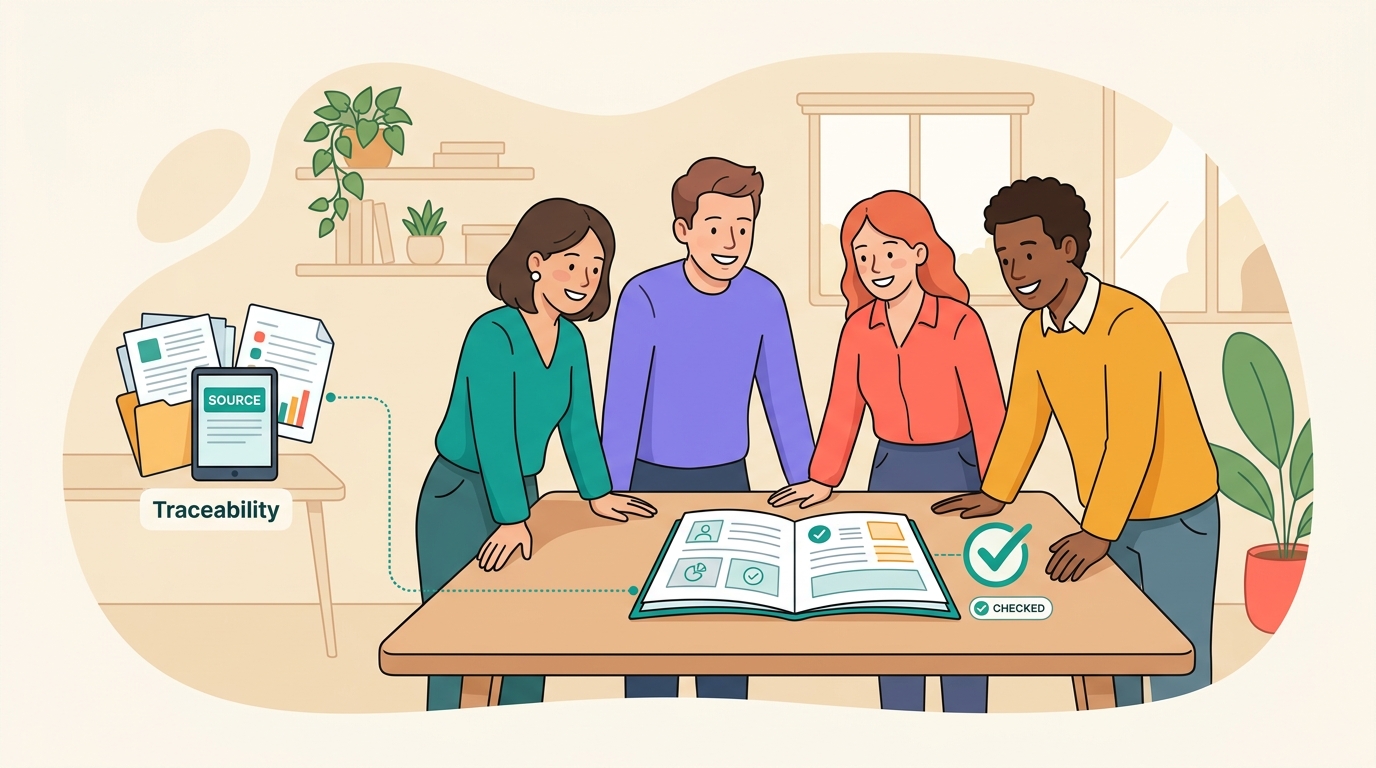
Every statement is traceable to its source

Just as a paper cites its references, every field and every rule loop-apidoc produces can be traced back to which source document and which passage stated it.

The generated manual ① The original source document ①

When someone asks "where did this setting come from?", you can pull up the matching source passage right away.

VERSION DIFF · NEW FEATURE

New version? See at a glance what changed

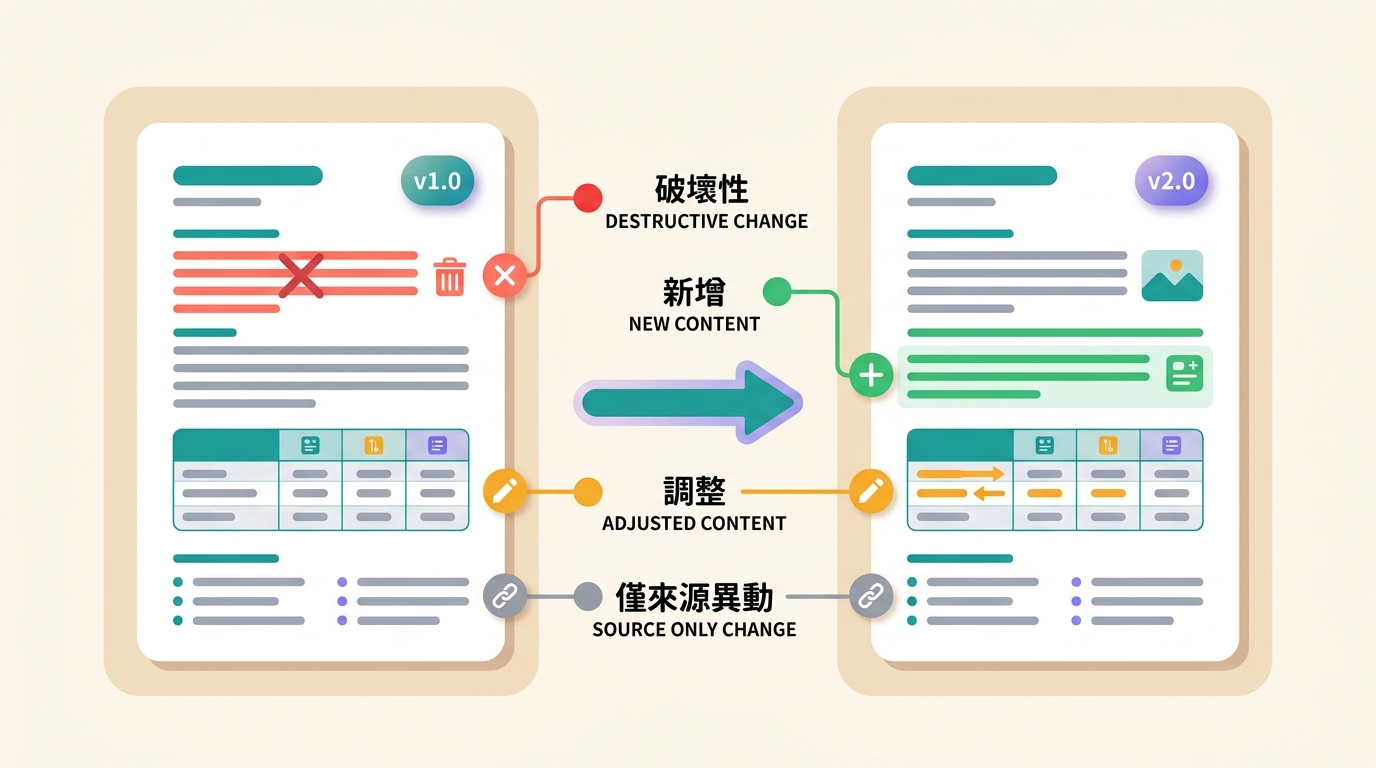
The vendor updated the docs — but what actually changed in the new version? loop-apidoc can compare the old and new versions and tag every change with one of four "signal lights," so you can gauge the risk at a glance.

Breaking change breaking

Could "break" your existing integration — handle with special care and prioritize it.

Additive additive

A new feature or field was added, usually safe and not affecting existing integrations.

Content adjustment changed

Existing content was modified — not necessarily dangerous, but worth a minute to look at.

Source-only change source_only

Only the source document itself moved; the final spec didn't actually change, so you can relax.

Comparing an old and new version, with changes marked by red, green, amber, and grey signal lights
QUALITY SCORE · NEW FEATURE

Not just "pass or fail" — it gives you a score

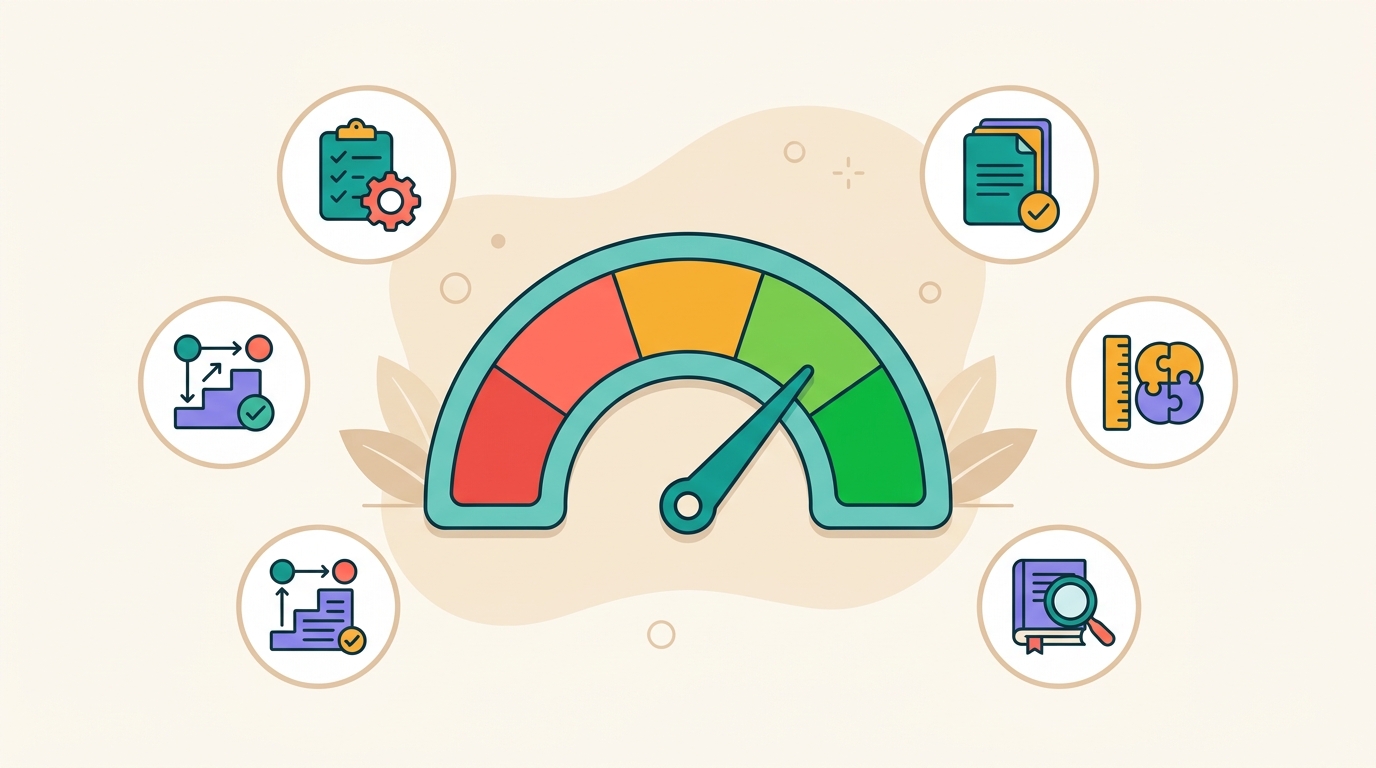
The check report tells you "what's missing and whether it passes"; the score goes a step further, converting document quality into a 0–100 number that's handy for tracking over time and comparing across versions. The score is only a dashboard — it never changes whether a document passes.

Scored across five dimensions

Spec validity, completeness, consistency, source grounding, and reviewability are weighted into one score; the report also lists response-field and hollow-operation metrics so a present-but-empty response contract cannot hide in plain sight.

Two scoring perspectives

"Ship gate" is stricter and suited to automated pipelines; "manual review" is more lenient and suited to a self-check before submission. Same document, two viewpoints.

Visible progress

Every correction shows the score climbing, giving the team a clear target to work toward instead of vaguely saying "it's probably fine."

A quality dashboard that quantifies document quality into a score from 0 to 100
ASSET GOVERNANCE · NEW FEATURE

Don't let good docs scatter — file them in your own library

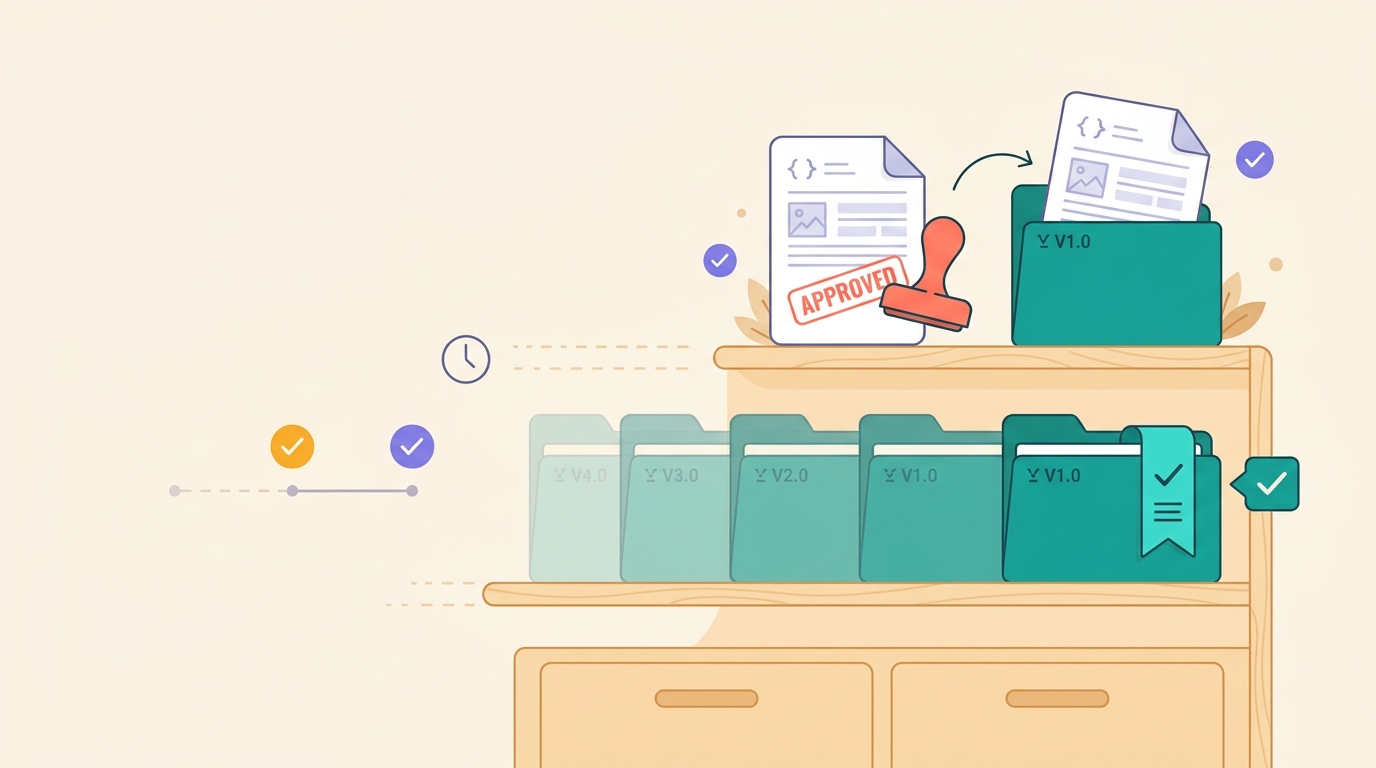
Once you've produced a result, first compare its candidate with the current version in the local review workbench and leave a resumable handoff, then shelve it in the project's own approved, versioned document-asset library. Everyone can use the same current version instead of a stale old file.

1

Shelve it as a candidate

Import a finished result into the asset library, where it sits in the "candidate" area — not yet live.

2

Approve and version it

Only a human approval in the workbench promotes it. The system copies it into a self-contained, version-numbered official asset, records the prior asset in the new asset's supersedes lineage, then advances current; prior asset bytes are never rewritten. An approval with known risks stays visibly marked for follow-up.

3

Always use the current normative version

Downstream can ask which provider-documented contract is current. This global pointer remains normative; deployment-specific Effective Contracts are selected separately by exact scope.

An approved, versioned document-asset shelf with a bookmark pointing to the current version
IMPLEMENTATION FEEDBACK · SEPARATE AUTHORITY

What the provider documents and what one deployment observes are not the same claim

The optional --focus lets you give the extraction task-specific directives before the run: a payment provider's settlement callback, a game platform's wallet transfer operation, a supplier's error codes. An Expectation Directive asserts that the sources really do document the thing, and a falsified one fails validation; a Coverage Directive only asks for a clean sweep, where finding nothing is still a complete answer. The directives go verbatim into every extraction subagent's prompt, and each of the agent's answers either points at the exact source line or lists every readable source it searched — there is no third route, and a directive never licenses inventing anything. Focus material stays in the run directory, out of provenance and the score, so two runs over the same sources with different focuses stay comparable.

Supplier sources remain the sole authority for the Normative Contract. Passive normalized observations can confirm or challenge one material claim inside an exact Applicability Envelope; this workflow makes the feedback useful without blending the two authorities.

BEFORE / AFTER

See the before-and-after difference in one picture

Take the same batch of source docs: whether or not they've been through loop-apidoc makes an unmistakable difference.

Before

A stack of docs you can't make sense of

  • Every vendor's format differs, making them a slog to read
  • Missing pages and fields, with no idea if it's complete
  • Where you're unsure, all you can do is guess
  • Sources are hard to trace, making it hard to reconcile and hold anyone accountable
After

One clean manual

  • A unified standard format that's easy for people and tools to read
  • Gaps clearly marked, with a report backing up the quality
  • Only what the docs actually say — never speculation
  • Every statement is traceable to its source
SAFE CORE ADOPTION

Compare the current pipeline with Core without changing authority

assemble --architecture-mode shadow runs an observational Core pass after legacy validation and writes evidence, claims, the canonical contract, policy decision, workflow/events, and a comparison under <run-dir>/core/. The legacy result, score, approval, Foundry state, and exit code stay authoritative; the default mode creates no core/.

assemble --architecture-mode strict is the blocking candidate path: a passing legacy run must re-prove every supported material claim against exact evidence before it writes an unapproved Core release. Evidence gaps fail the run, and Foundry rechecks the strict execution record before any human approval; strict itself never publishes or changes Foundry.

Its claim-level ledger records explicit_support, derived_support, contradicts, or insufficient from each material claim path to an exact typed fragment and source artifact. Optional v1 evidence[] references re-materialize before a run exists and verify source identity, locator, digest, and claim path. Prose without a parsed scalar can support only its one exact bound claim; versioned OpenAPI structural derivations are allowlisted and recomputed with every required local-reference context fragment. Runtime confidence never decides support, and a whole-document legacy citation remains unverified. Inspect relationships.json and projections/provenance.json for the exact trace.

Core retains tested, pure GraphQL/AsyncAPI compiler seams, but exposes no CLI or run workflow for either format until a named downstream consumer supplies a real source set and acceptance contract. Format fixtures prove compiler testability, not product demand or end-to-end grounding.
IN ONE SENTENCE

Tidy up what's there, be honest about what isn't, and never make things up.

loop-apidoc turns "messy, unreliable technical docs" into "a clean, trustworthy, source-traceable manual."

A team confidently and comfortably using a clean, traceable manual
Who is it for? Teams that integrate with many external services (payments, logistics, SMS…) and care about document correctness and traceability.
Want the technical deep dive? Read the full tour for engineers

The two-stage architecture, the seam JSON, the full CLI command table, and the risk, validation, and correction gates — the whole pipeline on one page.